
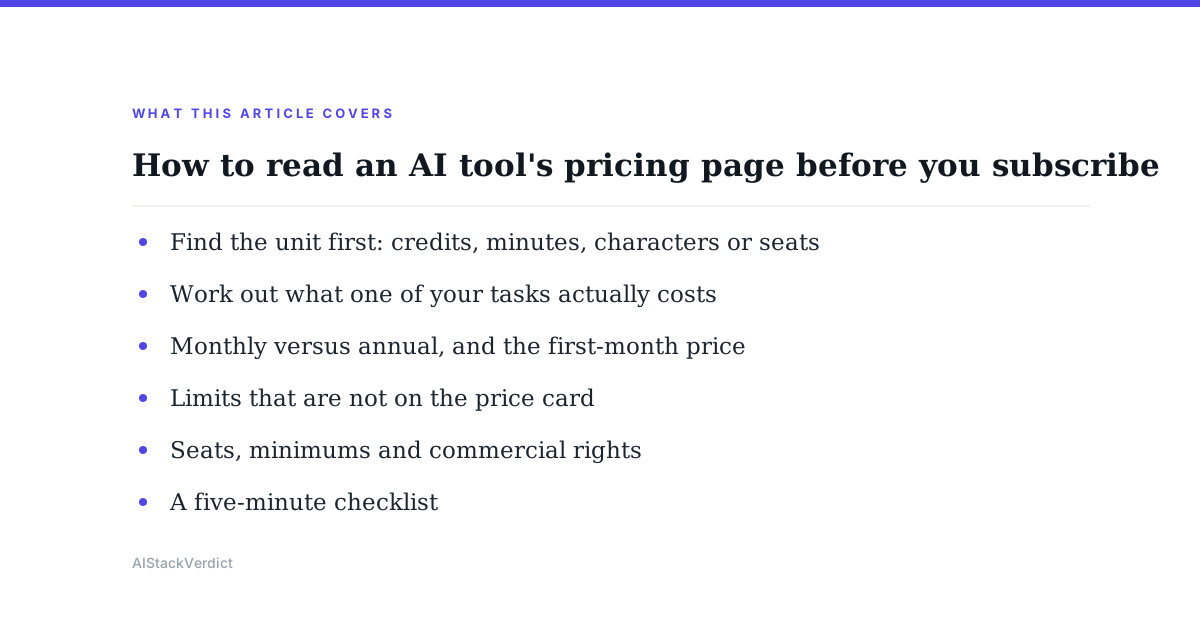
A pricing page for an AI tool looks simple: three or four columns, a monthly number at the top of each, a list of ticks underneath. The number that matters is almost never the one at the top. Most AI products meter usage in a unit of their own choosing, and the plan price only tells you how much of that unit you are buying. To compare two tools fairly, or to know whether a plan will last you a month, you have to find the unit, work out what one of your typical tasks consumes, and then read the fine print on seats, minimums and billing periods. This note walks through that process using two published pricing pages, with every figure quoted as of October 2026.
Find the unit first: credits, minutes, characters or seats
Start by locating the thing being counted. ElevenLabs, for example, sells credits. Per its pricing page as of October 2026, the Free plan includes 10k credits per month, Starter 30k, Creator 121k, Pro 600k, Scale 1.8M and Business 6M. The same page states how credits are spent: text to speech costs 1 credit per character, speech to text 330 credits per minute, music generation 900 credits per minute, and a sound effect 200 credits per generation. Otter.ai meters something different. Its Basic plan lists 300 monthly transcription minutes, Pro lists 1200 in-app recording minutes, and Business lists unlimited meetings, per the pricing page as of October 2026. Credits and minutes are not interchangeable, so the first job is to write down the unit next to each tool you are considering.
Once the unit is clear, check whether it is a monthly allowance that resets, a one-time pool, or a per-seat bucket. ElevenLabs states credits are per month. Otter.ai's limits are per user per month, and the plan price is per user. A credit that rolls over behaves very differently from one that expires, and a per-user allowance means a team of five has five separate buckets rather than one shared pool. Neither page hides this, but neither puts it in the headline price either.
Work out what one of your tasks actually costs
The next step is arithmetic. Take a task you do often and convert it into the tool's unit. A 1,500-word script is roughly 9,000 characters including spaces, so on ElevenLabs text to speech it would consume about 9,000 credits, per the 1-credit-per-character rate the page lists. On the 30k-credit Starter plan that is three such scripts a month before the allowance is gone. A one-hour interview transcribed on ElevenLabs speech to text would consume about 19,800 credits at the 330-credits-per-minute rate the page states, which is most of a Starter month in a single file.
Run the same exercise on Otter.ai. A weekly one-hour client call is roughly 240 minutes a month, which fits inside Basic's 300 minutes on paper, except that Basic also caps each conversation at 30 minutes per the pricing page, so a one-hour call does not fit at all. Pro raises the per-meeting cap to 90 minutes. This is the pattern to watch for across the category: the monthly allowance and the per-item limit are separate numbers, and either one can be the thing that forces an upgrade. Our guide to the best AI meeting tools compares those per-meeting caps side by side.
Monthly versus annual, and the first-month price
The headline price is frequently not the recurring price. ElevenLabs lists Starter at $1 for the first month and $6 thereafter, and Creator at $11 for the first month and $22 thereafter, as of October 2026. The annual column on the same page works out to roughly ten months paid for twelve: Starter at $5 per month, Creator at $18.33, Pro at $82.50, Scale at $249.17 and Business at $825, all billed annually. Otter.ai shows the gap the other way around: Pro is $16.99 per user monthly or $8.33 per user on annual billing, and Business is $30 monthly or $19.99 annually, per its pricing page.
When comparing, put every plan on the same footing. Either compare all monthly prices or all annual prices, and ignore any introductory month. A good habit is to write the twelve-month total next to each plan. On Otter.ai Pro that is about $204 on monthly billing versus about $100 on annual, for the same features, which is a larger difference than most of the feature gaps between adjacent tiers. The trade-off is commitment: an annual plan locks in a tool for a year in a category where products change quickly, so the saving is only a saving if the tool is still the right one in month nine.
Limits that are not on the price card
The pricing table shows what is included. The things that are excluded tend to live in tooltips, footnotes or a separate comparison table further down the page. Common examples across AI tools are a cap on file length or character count per request, a limit on concurrent jobs, a reduced model or voice library on lower tiers, slower processing queues, and watermarks on exports. The Otter.ai per-conversation limits above are a clean example: 30 minutes on Basic, 90 on Pro and 4 hours on Business, per the page. The monthly minute allowance is in large type; the per-meeting cap is a line in the feature list.
Read the whole page, including the FAQ section, before deciding. Where the page does not state a figure, assume it is not promised. For instance, neither pricing page states what happens to unused credits or minutes at the end of a month beyond the monthly reset, so it is reasonable to plan as though they expire. If a limit matters to your work and is not written down, that is a question for the vendor's support team before you pay, not after.
Seats, minimums and commercial rights
Team pricing introduces two more numbers. The first is the seat minimum. Otter.ai's Business plan requires a minimum of 5 billed users, and its Enterprise tier lists a minimum of 100 users for SSO and SCIM features, per the pricing page as of October 2026. A $19.99 per-user price therefore starts at about $100 a month, not $20. The second is who can use the output. ElevenLabs marks its Free plan as not including a commercial license, with the license included from Starter upward. If generated audio will appear in anything you sell or publish for a client, the free tier is not an option regardless of how many credits it includes.
Check also how many people are included before a seat charge begins. Otter.ai's Basic plan allows up to 5 workspace members. Some tools include two or three users in a mid tier and charge per additional head; others are strictly per user from the first seat. The difference changes the bill as soon as a second person needs access. Reviews on this site, such as our ElevenLabs review and Otter.ai review, note the seat model in the pricing section for this reason.
A five-minute checklist
Before subscribing, write down: the unit being metered; how many units one of your typical tasks consumes; the monthly allowance and the per-item cap; the recurring price after any introductory month; the annual price expressed as a twelve-month total; the seat minimum and the number of included users; and whether commercial use is permitted on the tier you are choosing. If any of those seven lines is blank after reading the page, the page has not told you what you need to know. Most pricing pages answer at least five of the seven; the remaining gaps are where surprises come from.
Bottom line
AI tool pricing is usage pricing wearing a subscription costume. The plan price is the ceiling on what you can consume, not a flat fee for the product. Find the unit, cost one real task in that unit, separate the monthly allowance from the per-item cap, and compare twelve-month totals rather than headline figures. ElevenLabs and Otter.ai both publish enough to do this in a few minutes, and the same method applies to any tool in the category. Where a page does not state a figure, treat it as not promised and ask before paying.
Community discussion
Enjoyed this story? Share your thoughts below.